AI Prototyping is Changing How We Build
Hey there, product builders!
Remember when “design iteration” meant opening Figma, dragging 47 boxes around, and waiting three days for stakeholder feedback on a mockup nobody could actually click?
Those days are numbered.
The new approach is radically different: instead of designing screens, you describe behavior. The AI generates functional code that renders immediately in the browser. No Figma handoff, no developer translation layer.
This shift represents more than a tool change. It fundamentally transforms what “prototyping“ means for product teams.
Why Functional Prototypes Beat Static Mockups
Lengthy planning phases delay consensus because stakeholders rely on abstract descriptions. Building functional concepts early lets everyone engage with prototypes, directly interacting with features and seeing results in action. This leads to clearer understanding and quicker decisions, often reducing alignment time by up to half.
The core insight is simple: users forgive bugs but cannot give feedback on ideas that only exist in your head. A working prototype with rough edges teaches you more than a polished mockup ever could.
Here are four concrete flows that demonstrate this approach in action.
Flow 1: Account Overview Dashboard
The prompt:
“Let’s build an overview page for a bank account feature. It should offer a business account for payroll and bills, and an investment account for yield-bearing products. The layout will include tabs for Overview, Automations, and Documents. In the overview section, show a list of my accounts to help me understand total funds, along with a collapsible section for items needing approval. As an owner, I need the ability to approve or reject these items. Finally, include a stacked hero graph at the top, placed below the total balance.”
What you get: A working dashboard with real tab navigation, expandable approval sections with accept/reject buttons, and an interactive chart.
Why it matters: Traditional wireframing would require separate mockups for each tab state, a separate spec for the collapsible behavior, and annotations explaining the approval flow. By describing the complete interaction, you generate a testable experience immediately. Your stakeholders can click through it, and you can iterate based on their feedback in real-time.
Flow 2: Document Management Table
The prompt:
“Let’s create a table for various account documents, mostly sorted chronologically. It needs columns for document name, statement date, account last four digits, and actions where a download button will be placed. I also want you to implement filtering and grouping. For instance, if I group by document type, there should be a non-interactive horizontal row acting as a header for that group, with the relevant items listed below it.”
What you get: A fully functional data table with sorting, filtering dropdowns, groupable rows, and download actions, complete with the subtle UX detail of non-interactive group headers.
Why it matters: Complex table behavior is notoriously difficult to communicate through static mockups. Engineers often misinterpret grouping logic or filter interactions. AI prototyping tools handle layouts, suggest design improvements, and refine UI automatically, allowing faster iterations and quicker idea testing. Speaking the logic directly into code eliminates the translation gap.
Flow 3: Intelligent Transaction Form
The prompt:
“I want a transfer funds flow with an amount field and a transfer method selector. The form should be intelligent: if I input $10,000, it might default to a standard transfer, but if I increase the amount to 10 million or 100 million, the method should automatically switch to wire. It should detect the amount, call the back-end to find the fastest available payment method, and auto-select that option for the user.”
What you get: A form that dynamically changes its behavior based on input values, demonstrating conditional logic that would typically require extensive specification documentation.
Why it matters: This is the killer use case for AI prototyping. You are not designing a screen; you are designing intelligent behavior. The prototype becomes a conversation piece about business rules, not pixel alignment. One PM at a fintech startup used this approach to build a working loan calculator in 3 hours, test it with 50 customers over 2 days, and validate the entire pricing model before writing a single PRD.
Flow 4: Real-Time Balance Adjustments
The prompt:
“Highlight the account value and add a string below it that indicates pending deposits. Since the main balance only shows settled transactions, we need to display pending transactions from the back-end to ensure the available balance remains accurate while money is in transit.”
What you get: A live interface modification that addresses real user confusion about “transit money,” showing both settled and pending states.
Why it matters: This demonstrates AI prototyping’s power for iterative refinement. You are not rebuilding from scratch. You are having a conversation with a working product and improving it in real time. Based on feedback, you simply adjust your prompt and regenerate the flow. Did users find a button confusing? Tweak the prompt to change the copy or style. This iteration cycle shrinks from weeks of back-and-forth to hours of focused refinement.
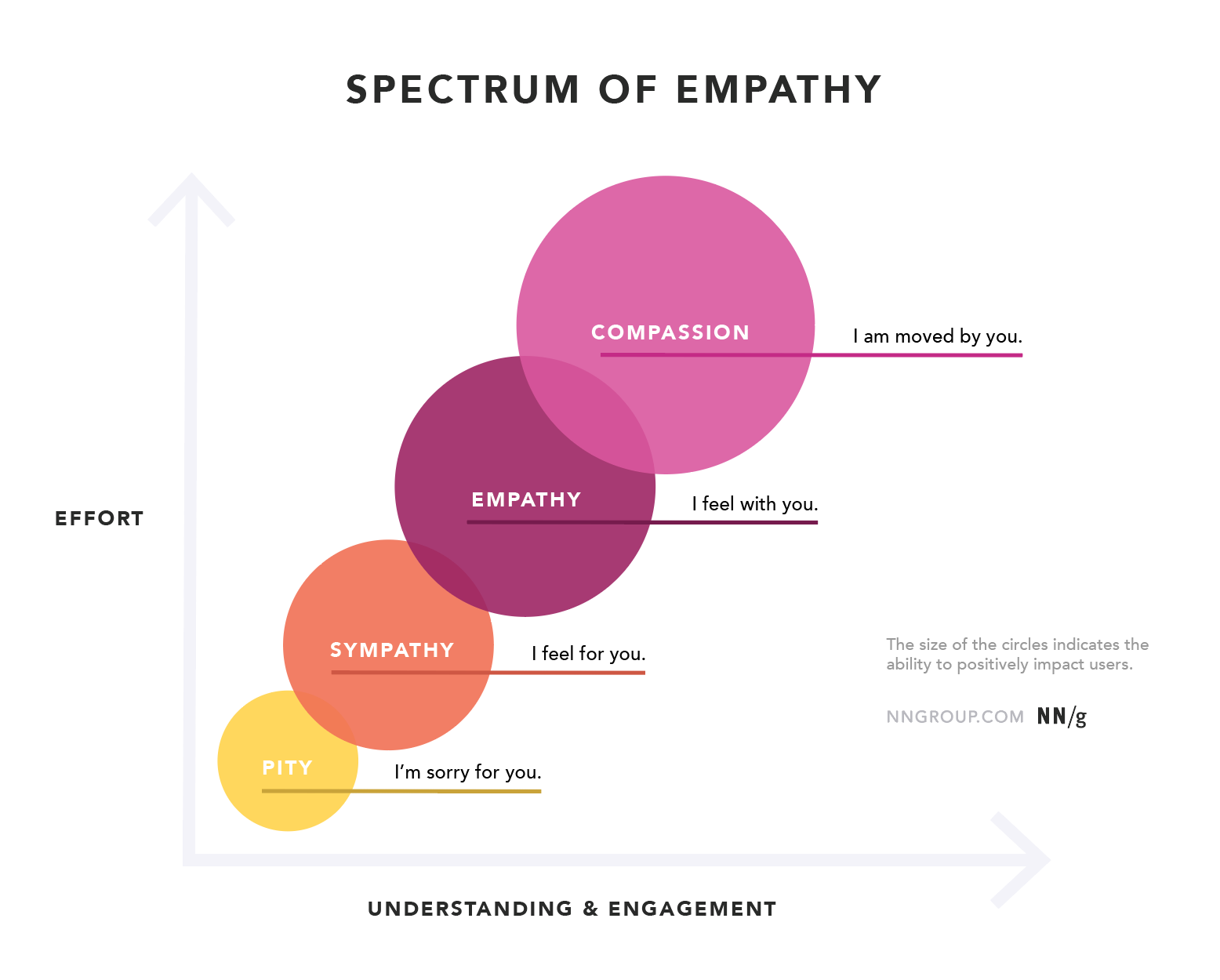
The Hidden Benefit: Stakeholder Empathy
Static wireframes have a fundamental problem: they make reviewers feel like critics rather than users.
When you present functional prototypes built through voice dictation, stakeholders experience the product as customers would. They click real buttons, navigate actual flows, and feel the friction points firsthand.
This shift from “reviewing a mockup“ to “using software“ dramatically improves feedback quality.
Tools like ProtoPie already support voice prototyping with speech-to-text and text-to-speech capabilities. Platforms like Voiceflow let teams prototype and deploy voice-first experiences without writing code. And the vibe coding tools: Replit, Bolt.new, Cursor, turn spoken descriptions into deployable applications within hours.
Team Adoption Playbook: 8 Actionable Steps
Rolling out voice prototyping across your design team isn’t about mandating a new tool. It’s about building new habits. Here’s exactly how to do it, borrowed from ServiceNow’s playbook for rolling out Figma Make to 500+ designers.
Step 1: Run a 2-Week Pilot With 3-5 Believers
Before scaling, partner with designers who are already comfortable experimenting. Give them one specific use case (early-stage concept exploration works well). Their job: test the workflow in real projects and document what works. This creates proof points and practical use cases before you ask skeptics to try anything.
Step 2: Build Enterprise-Specific Playgrounds
Generic tutorials won’t stick. Create practice files using your actual design system and real scenarios from your product. Example: If you’re building a fintech app, create a playground with prompts like “Build a transaction approval flow with our component library.” Designers learn faster when examples match their daily work.
Step 3: Host Live Walkthrough + Q&A Sessions (45 min max)
Structure: 15-minute demo, then 20-minute hands-on practice, then 10-minute Q&A. Let designers try the tool during the session, while they can ask questions in real-time. Record everything for async teammates.
Step 4: Create a Shared “Prompt Library” Figma/Notion File
Maintain an open file where any designer can drop successful voice prompts with before/after screenshots. Organize by pattern type: dashboards, forms, tables, navigation. When designers can peek at prompting history to see how results were achieved, adoption accelerates dramatically.
Step 5: Designate Meeting-Free “Focus Days” for Experimentation
Carve out specific days (ServiceNow calls them “Focus Days”) dedicated to skill-building. Provide a curated set of resources and clear areas to explore. Without protected time, experimentation will always lose to sprint work.
Step 6: Launch a Dedicated Slack/Teams Channel
Create a space specifically for sharing discoveries, weird prompt results, and “I tried this, and it actually worked” moments. This is where organic adoption happens. Designers learn from each other’s experiments faster than from any training doc.
Step 7: Document Best Practices as You Discover Them
After your pilot, consolidate insights into a centralized hub: best practices, prompting guidance, links to videos, and playgrounds. This becomes your team’s single source of truth that evolves as you learn.
Step 8: Spread Through Monthly “Gradient” Recaps
With busy teams, individual resources get lost. Create a monthly wrap-up email highlighting: top 3 prompts that worked, one new use case discovered, and one common mistake to avoid. Keeps the entire team in sync without overwhelming them.
The key insight: Enabling new tools is about helping designers feel confident, supported, and inspired to explore what’s possible. When designers have the freedom to experiment, learn in ways that suit them, and share what they discover, curiosity turns into meaningful impact.
The Strategic Value for Product Teams
Tasks that took days now take hours. Designers can explore more directions in the same timeframe, which leads to better final solutions because the team has considered more possibilities.
AI prototyping tools improve discovery quality by enabling more experimentation. Teams test radical ideas alongside safe options because the cost of exploration drops dramatically. When creating a prototype takes hours instead of days, you can afford to test unconventional approaches.
The technology reduces time from idea to validated learning by 10x in many cases. What took weeks of coordination now takes hours of focused work. This compounds over months and quarters into dramatically faster product iteration.
Stop asking “How can we ship faster?” and start asking “How can we learn faster?” Use AI to accelerate your understanding, not just your deployment frequency.
The uncomfortable truth: in a world where everyone can build a working prototype, the winners are not the fastest builders.
They are the teams that build the right thing.